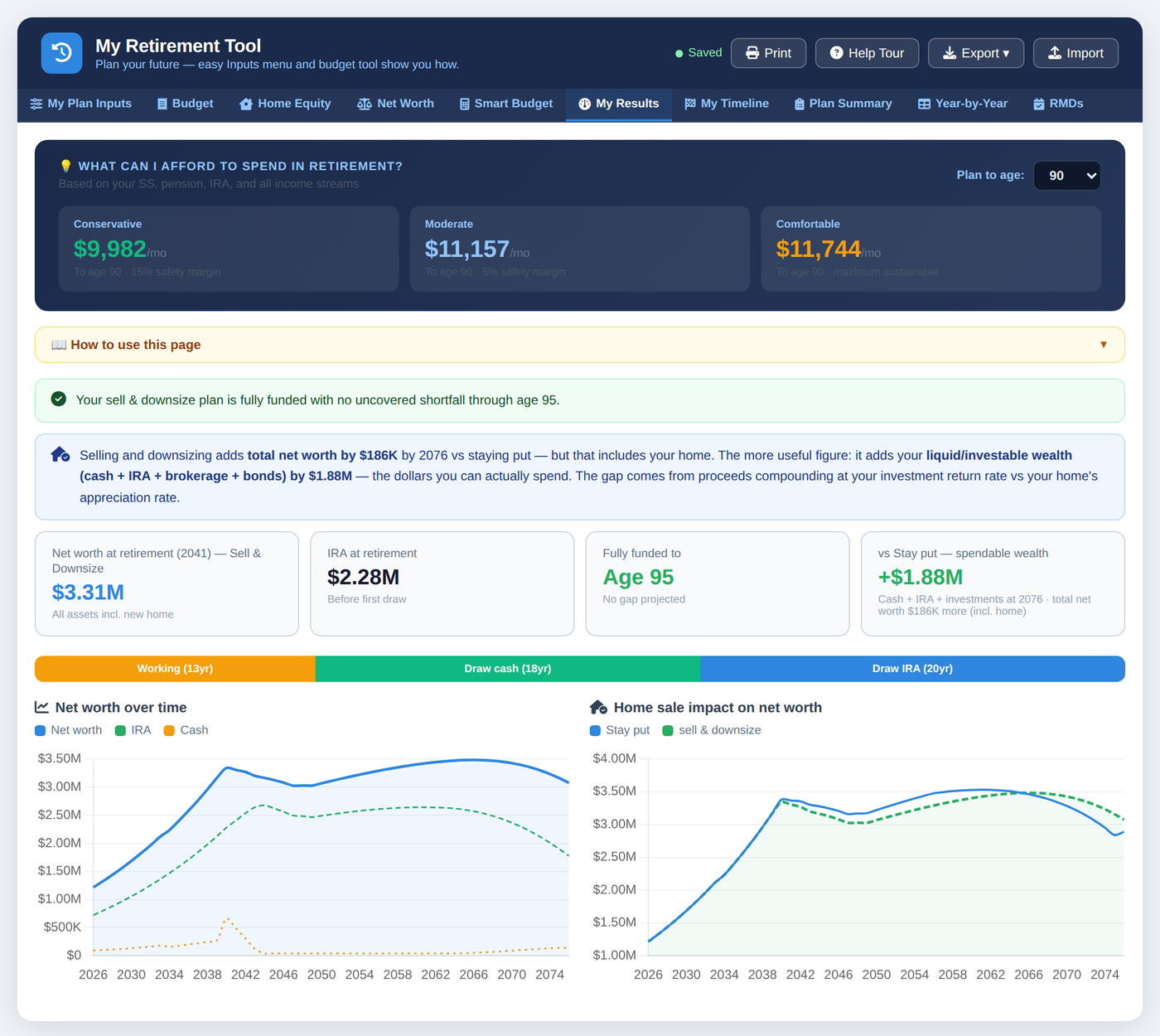
Whether you're years from retiring or already retired, this tool takes your real numbers and projects your financial future year by year. Not penny-perfect — clear enough to make confident decisions.
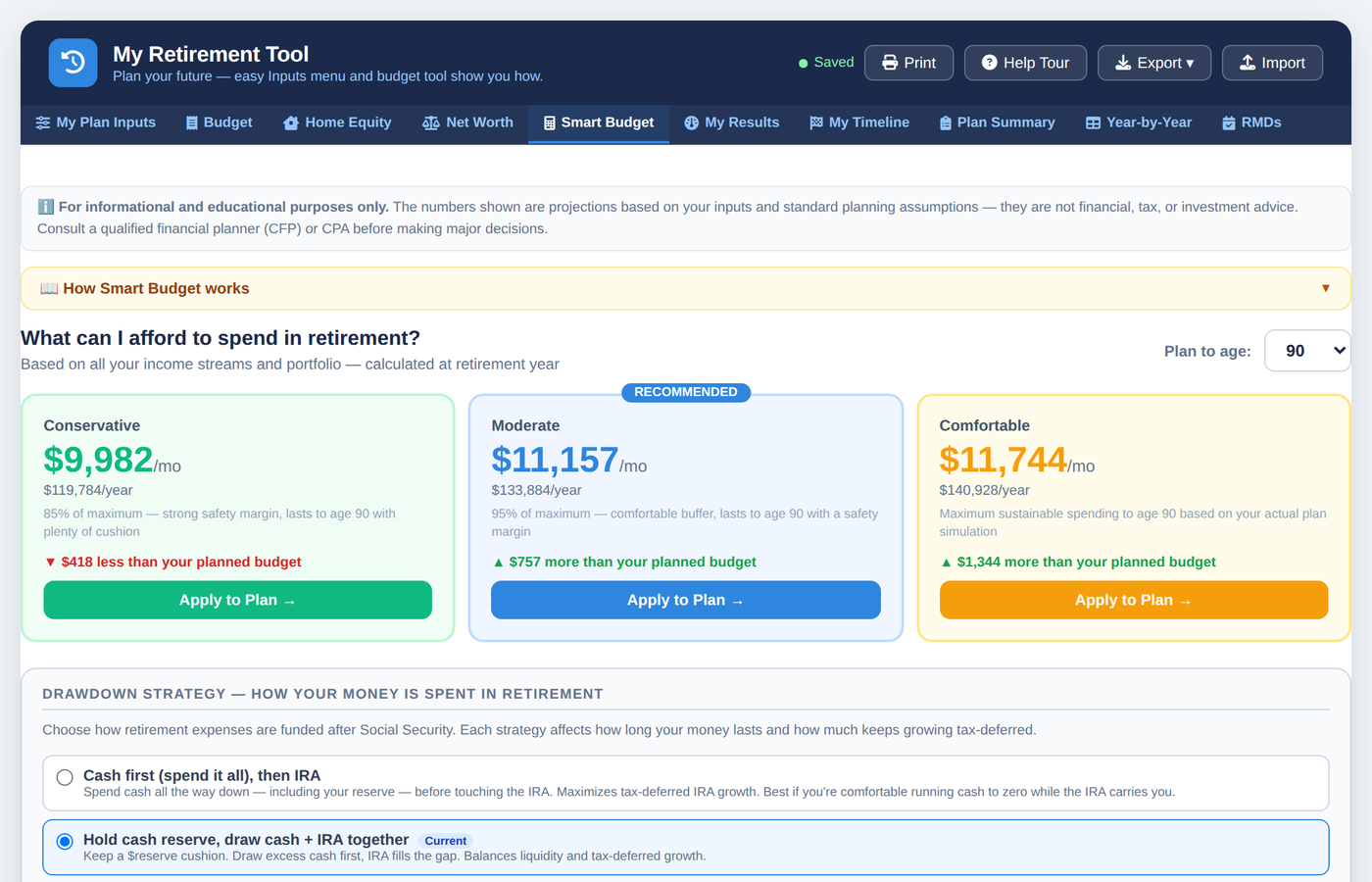
Not sure what your retirement budget should be? Smart Budget works backward from your savings and tells you the most you can safely spend.
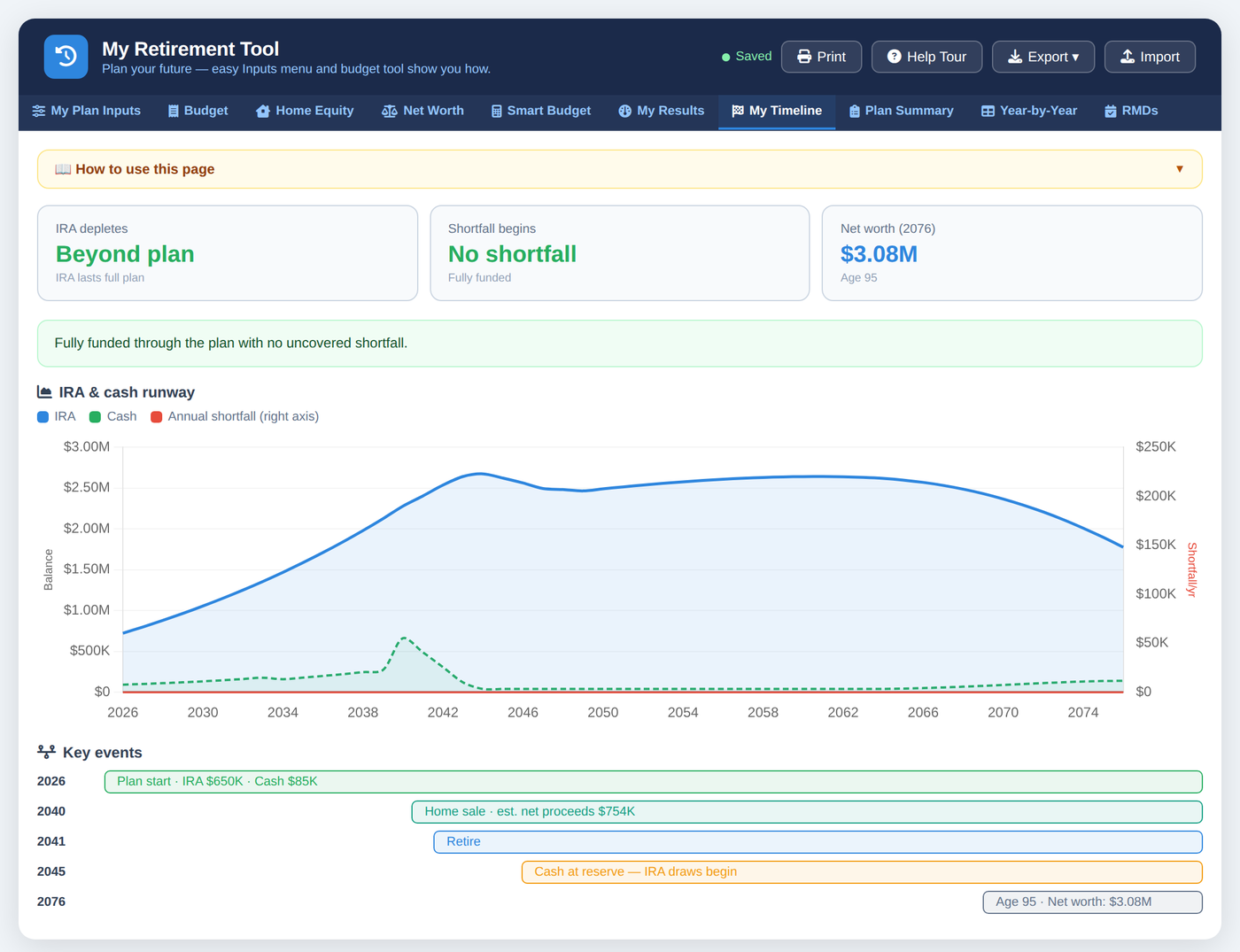
A clear runway showing the years you're flush, when accounts wind down, and — if there's a gap — a plain warning telling you the year it starts and how to close it.
A detailed monthly budget across housing, daily living, transportation, health and more. On the Year-by-Year tab, replace any year's estimates with your actual numbers — real spending, updated balances, a new retirement year — and watch the whole plan reshape instantly. Your plan keeps up with your life.
Savings, home, vehicles, and debts in one place — and a Plan Summary that shows how it all changes year by year.
Model selling your home, renting for a while, then buying again later. See how the proceeds change your whole plan.
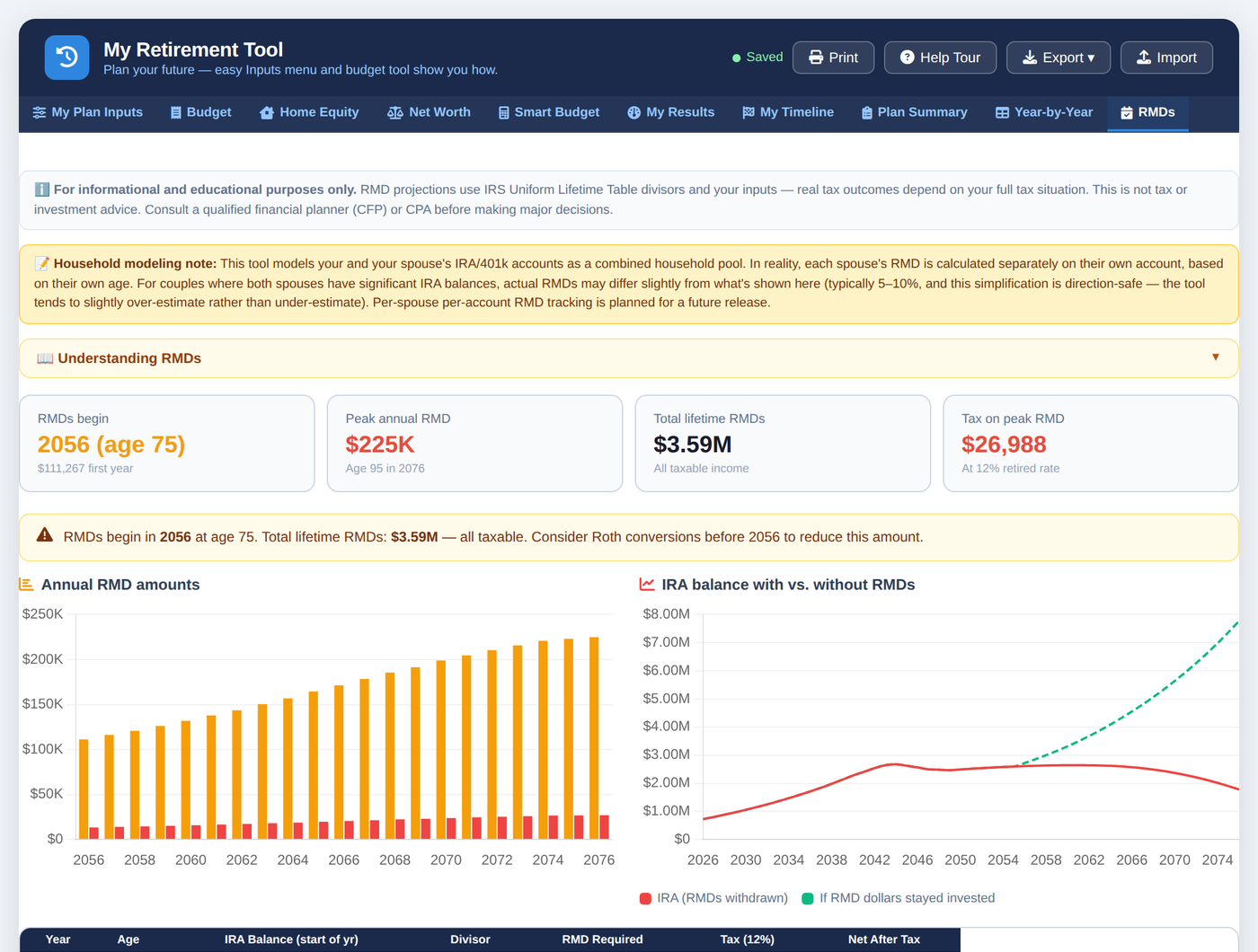
Time your Social Security, handle required withdrawals at the right age for your birth year, and keep taxes realistic.
You give it your real, ballpark figures. It does the rest — most people get their first clear picture in about 10–15 minutes.
Opens with a realistic sample plan so you can explore right away. Replace it with your own — savings, income, Social Security, your home. Round numbers are fine.
Your budget now and in retirement — or let Smart Budget find it for you.
Year by year, watch your money grow, then carry you through retirement.
Retire earlier, delay Social Security, sell the house — see what actually moves your plan. Then come back and enter your real spending or updated balances year by year to keep the plan live and current.
"It won't flatter you. If there's a gap, you'll see a plain warning at the top of your Dashboard — the exact year it starts, how much you're short, and what to change to close it."
Retire two years earlier. Spend a little more. Sell the house in 2030 instead of now. Every change updates your whole future instantly — no recalculating, no rebuilding.
Is it better to take Social Security at 62 or 67? Spend more early or save it for later? Downsize or stay put? Try them side by side and watch which one actually leaves you better off.
Patterns emerge the more you explore — you start to feel exactly which levers move your plan and which barely matter. That's where guesswork turns into real, confident forecasting.
Most tools give you one number and call it done. This one invites you to be curious — to explore freely, picture different futures, and find the plan that actually fits the life you want.
It's built for regular people, not accountants. You type your figures into plain-language fields — your savings, your income, what you spend — and everything updates on its own. Every page has a "How to use this page" guide, and a quick welcome tour walks you through it the first time. If you can fill out an online form, you can use this.
About 10–15 minutes for your own picture. When you first open it, a realistic sample plan is already loaded so you can see how it works right away — then you replace those numbers with yours. The projection appears immediately — no waiting, no setup, no account to create. From there you can spend as long as you like trying "what-if" scenarios, or just take your answer and go. You don't need every number to be exact; good ballpark figures give you a reliable picture.
You can — your first answer is genuinely useful on its own. But the tool really shines when you come back and explore: try retiring earlier, spending more, claiming Social Security later, selling the home later. The more "what-ifs" you run, the clearer it becomes which choices actually shape your future — and that's where it turns from a calculator into a real forecasting tool.
Yes — this is one of the tool's most useful features. The Budget tab has a detailed monthly expense breakdown across housing, daily living, transportation, health, and more, with six side-by-side scenarios (current, retirement, necessity, comfortable, luxury, and one spare) so you can compare exactly where every dollar goes. The Year-by-Year tab lets you override any single year with your actual numbers — salary, other income, expenses, cash or IRA balances — as your real life unfolds. Enter last month's actual spending, this quarter's real returns, or your revised retirement year, and watch your whole plan update in real time. It's the difference between a one-shot projection and a plan you actually keep.
No. It's a planning tool that shows you projections based on your inputs, using clear assumptions. It's meant to inform your own decisions — it isn't tax or investment advice, and it doesn't replace a professional when you want one.
It's built to be directional — clear enough to make decisions, not penny-perfect. It uses straightforward assumptions for taxes and returns and is honest about its limits. That clarity is the point.
Nowhere. Everything you enter stays in your own browser, on your own device. There's no account and no server collecting your finances. You can export a backup file anytime.
One-time. You pay once ($29.99) and the tool is yours to keep — no recurring charges, no renewals.
Yes. Open the free demo to explore the tool before you decide.
Email support@myretirementtool.com within 7 days and we'll help you get it working — most issues are a quick fix. If we genuinely can't make it right for you, we'll refund you in full.
Email support@myretirementtool.com and a real person will get back to you.
